Tailor your consent experience for specific countries without modifying your global settings. Regional Overrides give you precise control over international compliance.
Why use Regional Overrides?
If you operate a global website, applying a one-size-fits-all policy can needlessly lower conversion rates in regions with flexible privacy laws, or expose you to compliance risk in regions with strict mandates. Regional Overrides solve this by allowing you to:
- Run Strict Mode for European visitors to comply with GDPR.
- Run Flexible Mode for US and APAC visitors to maximize analytics retention.
- Override individual countries instantly without touching code or redeploying scripts.
How to configure Regional Overrides
Open Domain Mode Settings
From your domain dashboard, click on Customize > Mode in the navigation menu.
Select Auto Consent Mode
Make sure Auto Mode is selected. This expands the Regional Overrides configuration panel.
Add Country Override
Click Add Country Override, choose the desired country from the dropdown, and assign its specific mode (Strict or Flexible).
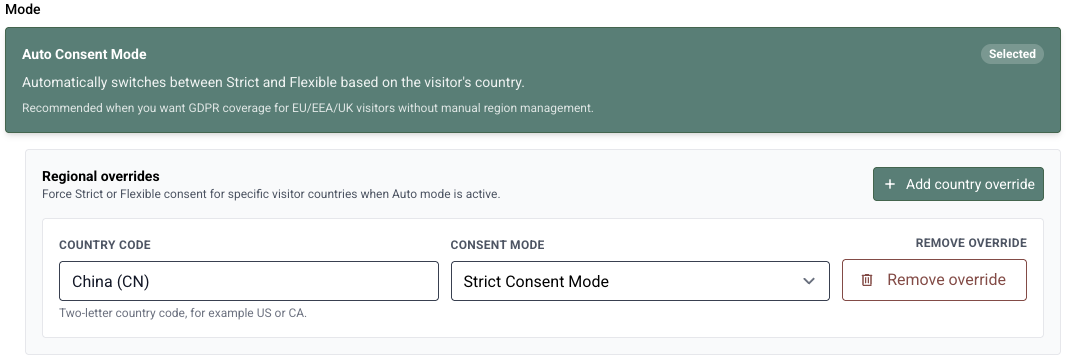
The Regional Overrides panel allows multiple country rules to be managed simultaneously.
Changes take effect immediately across all edge CDN servers. There is no need to update your tracking snippet or rebuild your website.
Video Demonstration
 ▶ Watch video: How to Set Up Regional Overrides
What happens if no override exists for a country?
If a visitor arrives from a country without an explicit override, QookieQloud defaults to standard Auto Mode logic (Strict Mode for EU/EEA/UK nations, Flexible Mode for other regions).